
How to Submit a HPWH Application Through the VEU Registry
Getting a heat pump water heater listed under the Victorian Energy Upgrades (VEU) program requires a product application through the VEU Registry, run by the Essential Services Commission (ESC). EnergyAE prepares the modelling reports and submission package. You submit the application through your VEU Registry account using the product specification and files EnergyAE provides.
The same application process covers both residential and large commercial products. The only difference is the product category you select from the dropdown. This guide covers both and flags where they diverge.
Before you start
You need an active VEU Registry account before an application can be lodged. If you do not have one, set up an administrative account at the VEU registration page. Setting this up takes time, so do it early in the project. EnergyAE can guide you through this step or complete it on your behalf once access is arranged.
EnergyAE will provide a submission package before you begin. This contains a product specification (Excel) and the supporting documentation: test reports, the AS/NZS 4234 modelling report, TRNSYS files, drawings, and data plates. You upload these into the application.
Starting a new application
Log in to the VEU Registry.
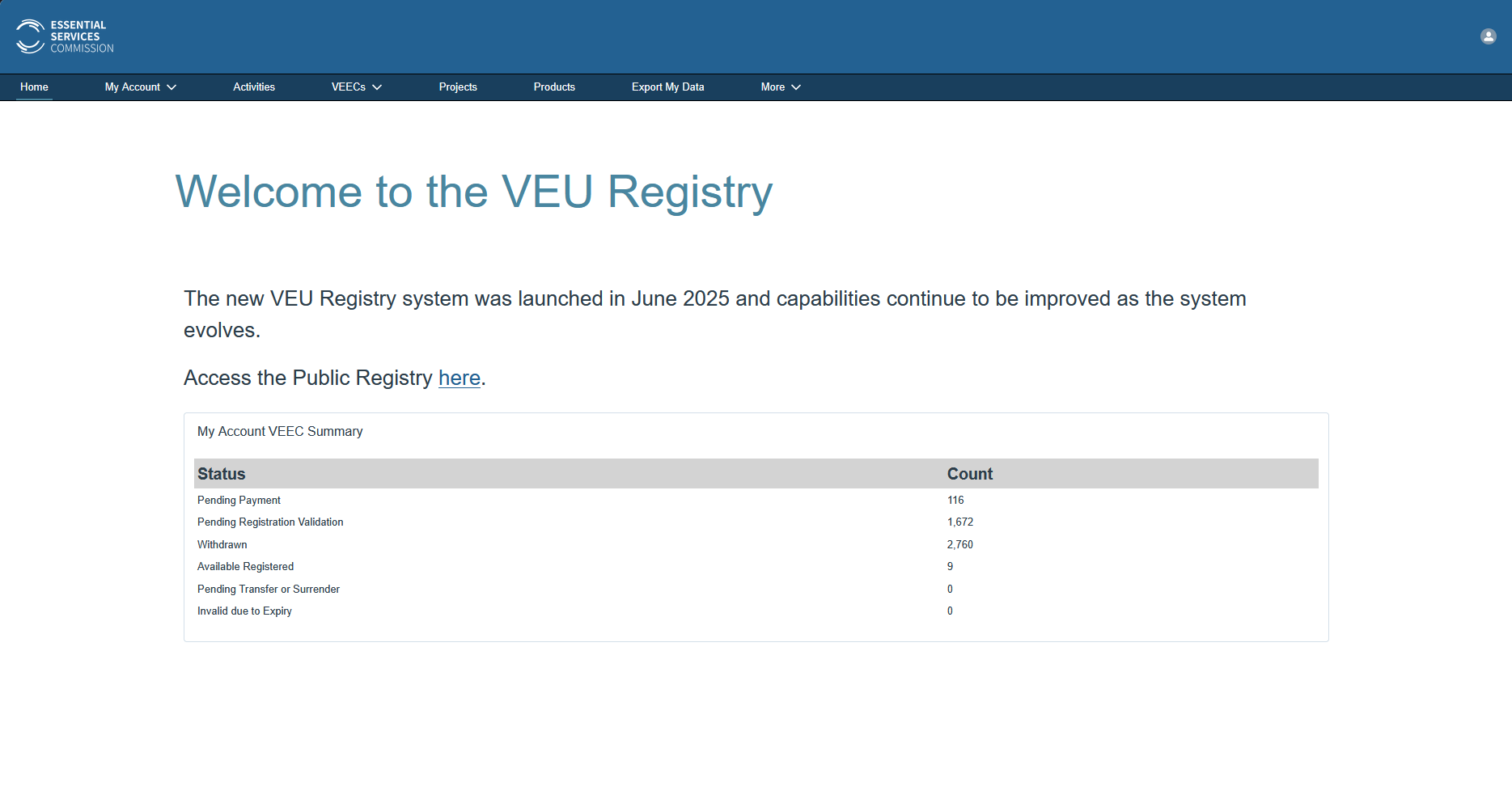
From the top navigation, open the Products tab and click New application.
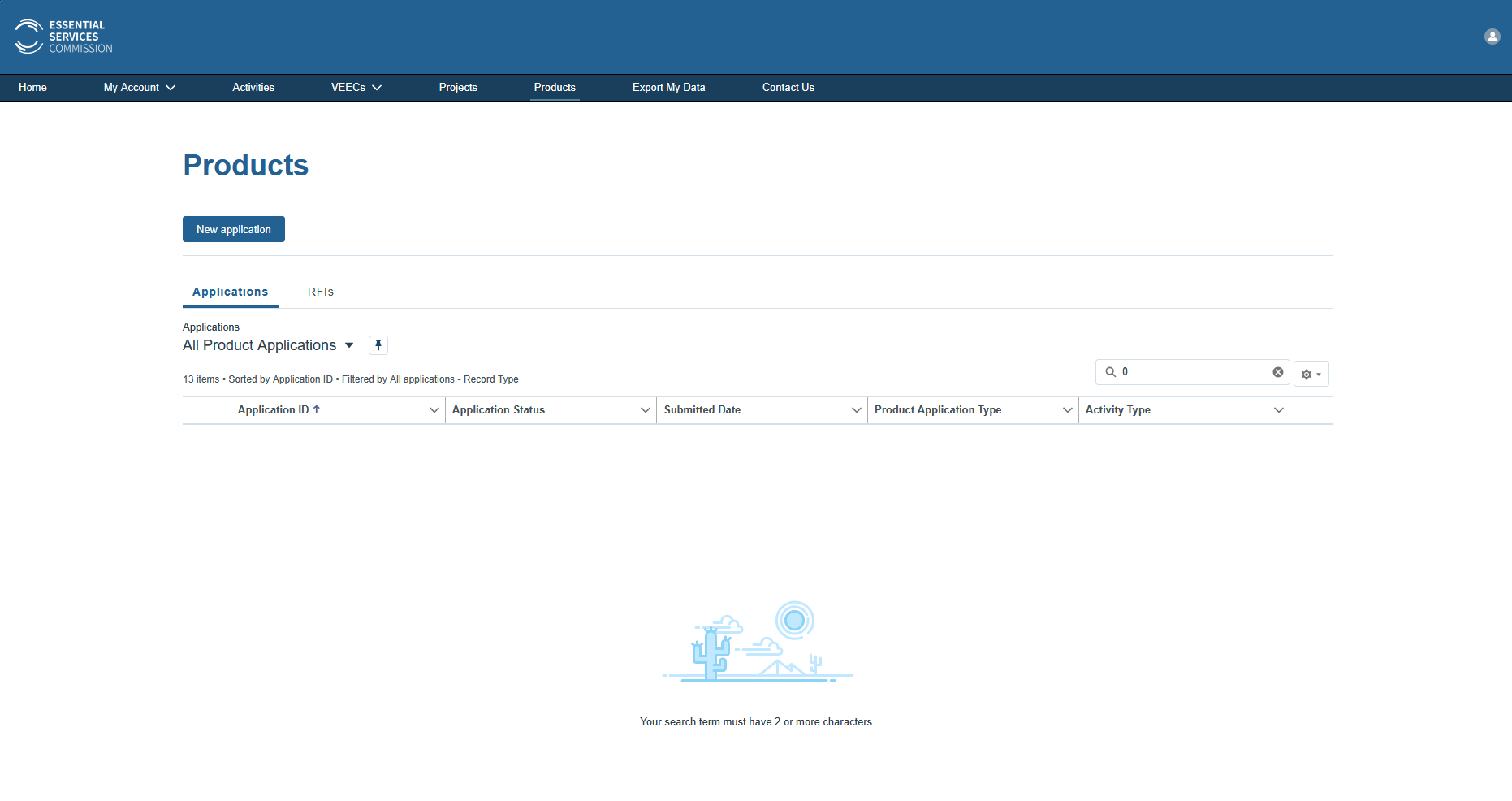
Choosing the product category
The Start product application page is where residential and commercial diverge. Read the on-screen instructions, then complete the two dropdowns.
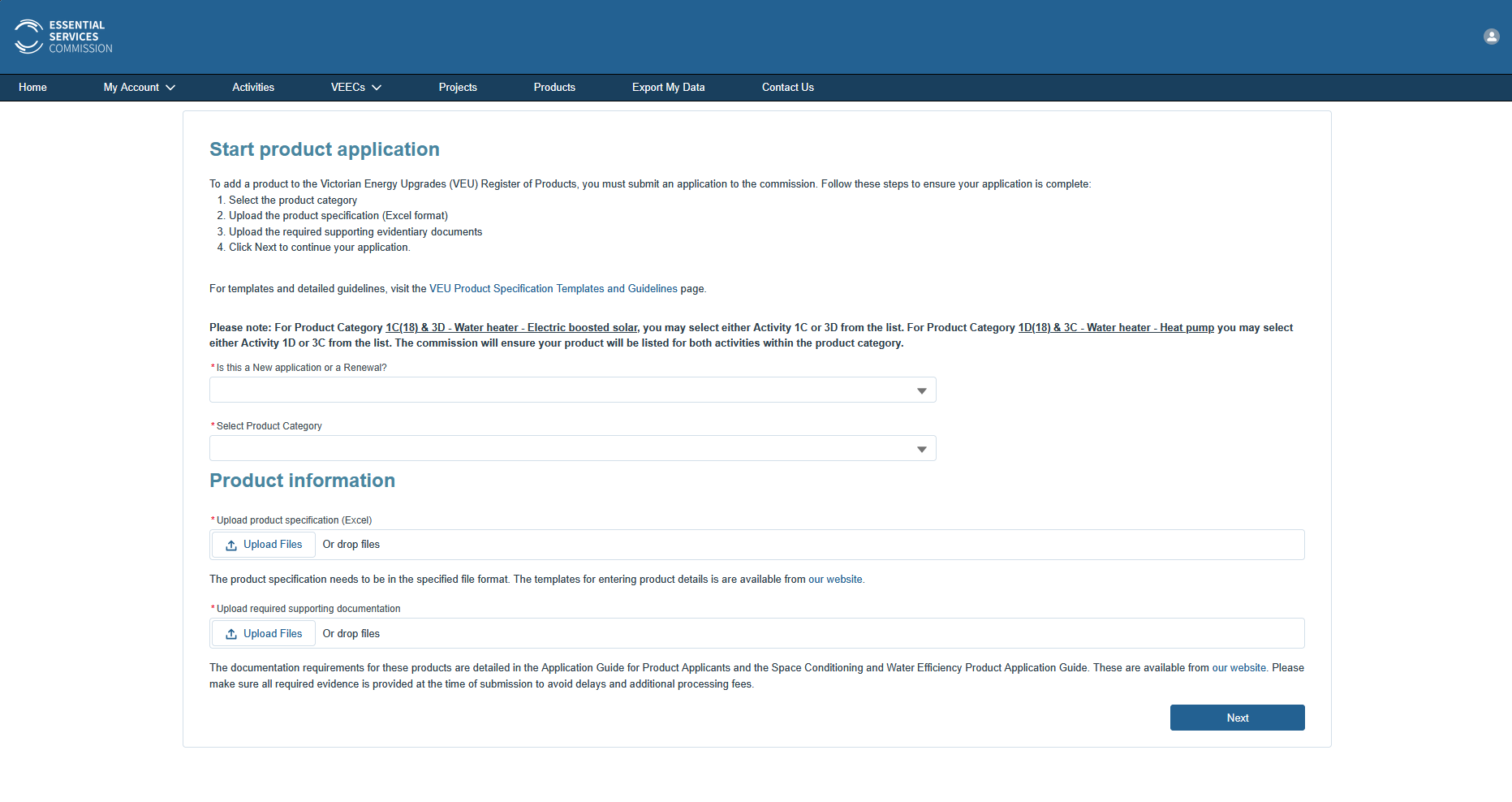
Set Is this a New application or a Renewal? to New (use Renewal only when re-listing an expiring product).
Set Select Product Category to the category that matches your product:
| Product | Product Category to select |
|---|---|
| Residential HPWH | 1D(18) - Water heating - Heat pump replacing electric resistance |
| Large commercial / industrial HPWH | 44 - Commercial and industrial heat pump water heater |
This single choice routes the whole application. Selecting the wrong category lists the product under the wrong activity. If you are unsure which applies, EnergyAE will confirm it for you.
Residential activity codes 1D and 3C: For the residential heat pump category, you may select either Activity 1D or 3C from the list. The commission lists the product for both activities within the category, so you do not need to apply twice.
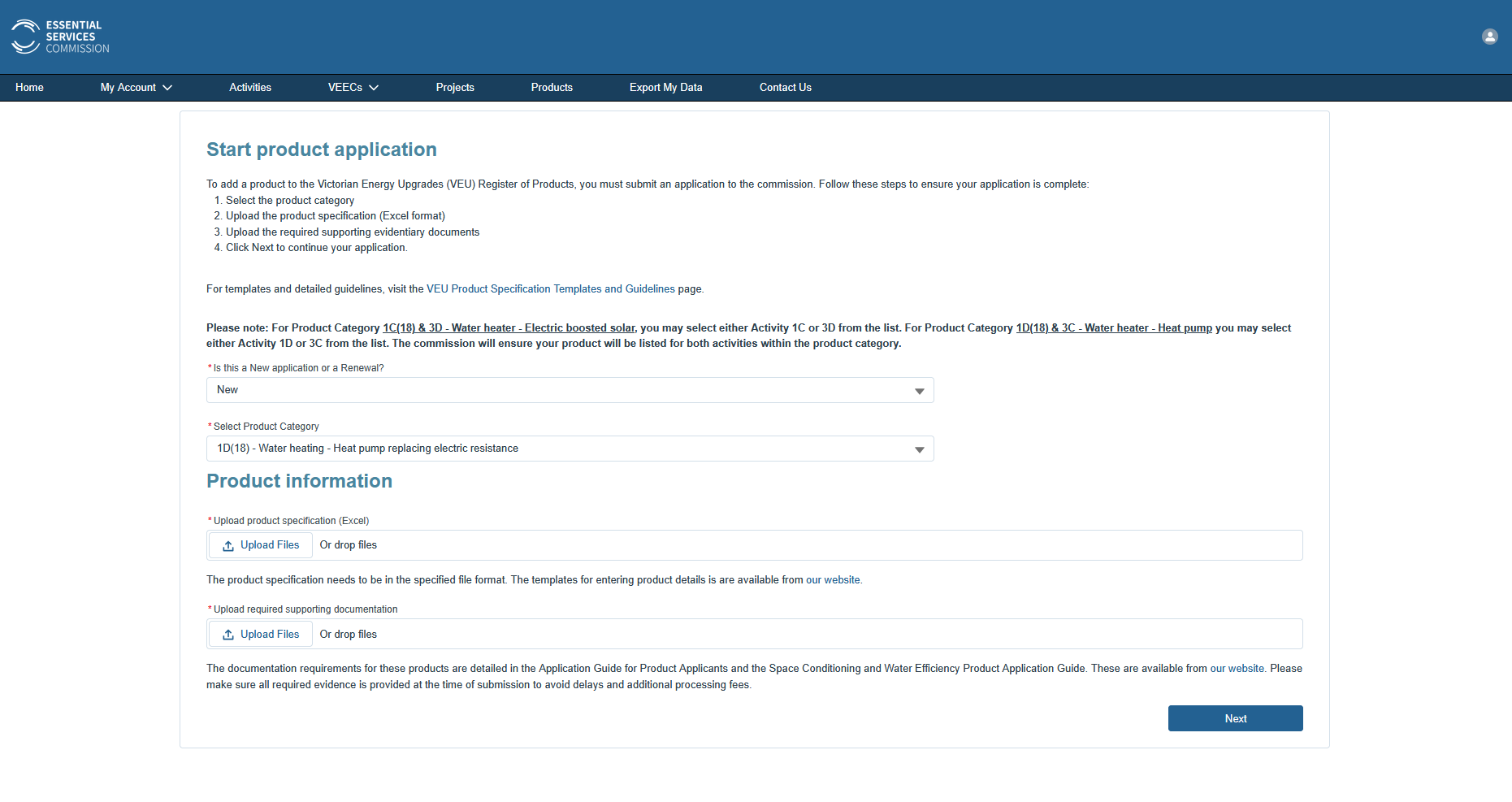 Residential: product category set to
 1D(18) - Water heating - Heat pump replacing electric resistance.
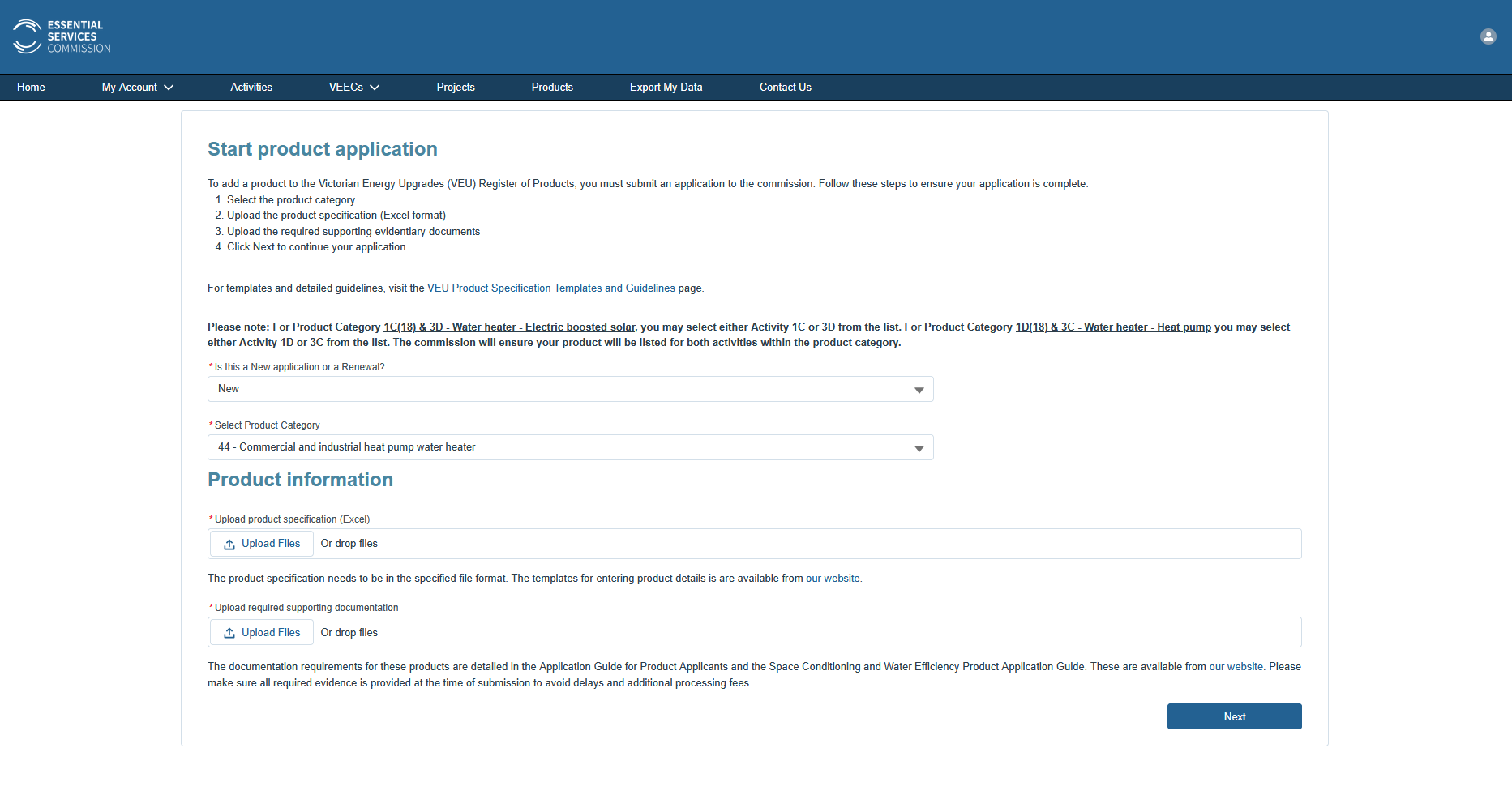 Commercial: product category set to
 44 - Commercial and industrial heat pump water heater.
Uploading the product specification and documents
Below the category dropdowns, the Product information section has two upload areas. Use the files in the EnergyAE submission package.
Upload product specification (Excel): upload the single product specification spreadsheet EnergyAE provides. It must be in the VEU template format; do not edit the values or change the file format.
Upload required supporting documentation: upload the rest of the package: the AS/NZS 4234 modelling report, TRNSYS files, test reports, schematics, tank drawings, and data plates. You can upload the whole package as a single .zip here; there is no need to extract it or upload files one by one. Provide all required evidence at submission, as missing documents cause delays and additional processing fees.
When both upload areas are complete, click Next to continue the application.
Submitting the application
The remaining steps are straightforward: tick the acknowledgement boxes confirming you meet the requirements for submitting an application, then click Submit.
A product is typically added to the VEU Registry within 6 to 8 weeks of a complete submission, after which it becomes eligible to claim VEECs. If the ESC raises any questions about the submission, forward them to EnergyAE and we will help you respond.
For questions about the application content, contact EnergyAE.