
How to Make a CER Submission
Clean Energy Regulator (CER) Submission Process.
Most clients will request that EnergyAE submit their models to CER on their behalf. Ask the client if they want this done as an extra service. Otherwise, provide them with the full set of audit files.
CER Register is typically published 3-4 months after the close of round applications.
CER accepts submissions 3 times per year. Submission dates can be found here, check application rounds.
Before Starting the Application
Before starting the application, ensure you have:
- AS/NZS 2712 Certificate
- Part C spreadsheet
- AS/NZS 4234 Report and Modelling
Starting an Application
- Go to the CER portal and login to your account
- If you don’t have an account, you can sign up here.
- Navigate to ‘Renewable Energy Target’ → ‘Apply to add a solar water heater model’.
.png)
Navigating to application form
- This will take you to section 1: Before you start. Click next
Section 2: Manufacturer Details
- Select ‘New Organisation’
.png)
- Organisation Details + Head Office address
- Check AS/NZS 2712 for identifier type, number and legal name. Refer to screenshot below
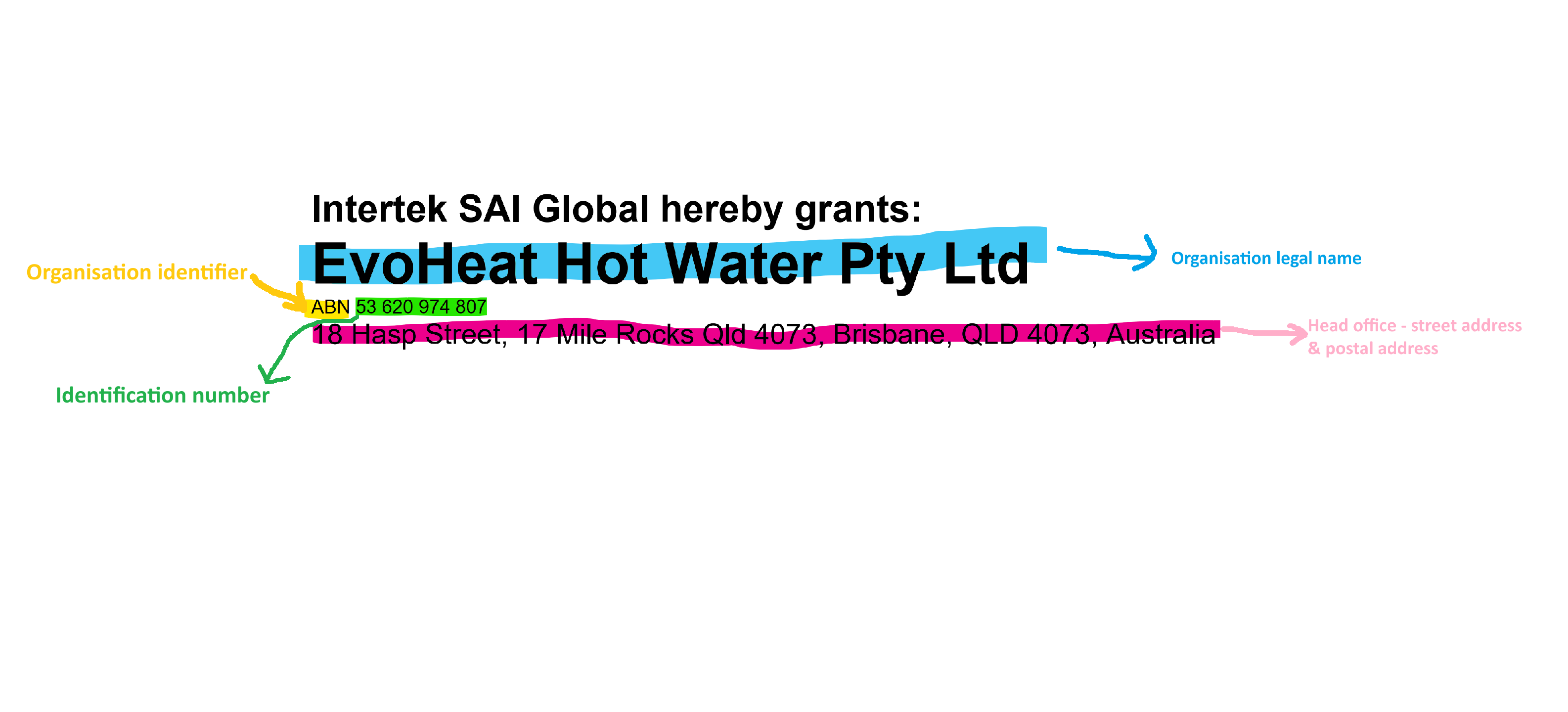
Organisation details from 2712 certificate
- These details can also be found in the ‘contacts’ tab in the TRNSYS tool and in Energy Modelling Overview.
- If there is no identifier number on 2712 certificate, select ‘other’ and leave blank
- Trading name is usually the same as brand name
.png)
tranding name usually same as brand name
- Organization type: “Private company.”
.png)
- Organisation Administrator
- Check the box that says “The following person is the CER Organisation Administrator”
- Put Alastair as CER Administrator
- CER client ID = CER404704
- Email = alastair.mcdowell@energyae.com
.png)
Section 3: Chief Executive Officer
- Enter client’s executive officer details. These should be found on Energy Modelling Overview. If they are not, request them from client
Section 4: Contact Persons
Enter Alastair as contact person’s
- CER client ID = CER404704
- Email = alastair.mcdowell@energyae.com
Section 5: STC modelling consultatnt
Enter Alastair as external modelling consultant
- CER client ID = CER404704
- Email = alastair.mcdowell@energyae.com
.png)
Section 6: List of Models
- Please upload the list of models*
- Upload ‘Part C’
- Please upload the AS/NZS 2712:2007 license schedule*
- Upload 2712 certificate PDF
- Certificate number*
- Enter certificate number on 2712 certificate
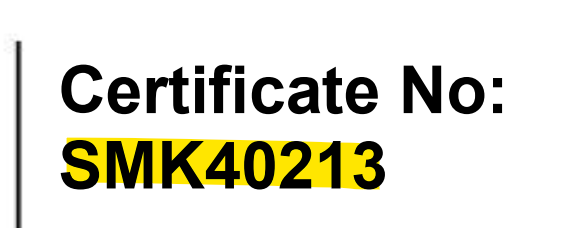
- Enter certificate number on 2712 certificate
- Schedule hyperlink
- URL to 2712 certificate on IAPMO or SAI Global. Refer to the AS/NZS 2712 KMS article for more details.
Section 7: Audit file preparation statement
Select the file checkboxes relevant to HPWHs:
- Model number_4692
- Model number_5125
- Model number_2712
- Model number_tank_drawing
- TRNSYS Files
- Technical Data Sheet
Section 8: Declaration
- Tick all boxes
- Input client signatory details.
- These can be found on Energy Modelling Overview. If they are not there, check with client
- Click “View and print”
.png)
- Print declaration to PDF and save it to ProjectFolder\06-Audit\CER\CER_Declaration_unsigned.pdf
- Send the CER declaration and Part C to client. Ask signatory to sign and return declaration if they are happy with the Part C values.
- Upload signed declaration to CER portal then submit application.

- Save the CER submission .zip file to EnergyAE Files\Projects**\AE***_BRAND\05-Submission\SRES\
- Send screenshot of application success and CER zip file to the client to show completion of the submission.
Step 4: Audit Files
Full audit files may be requested for a selection of models by the CER a few weeks later.
Refer to CER Audit Files guide on files for audited models.